
Linguistic tool for studying sounds
Praat is a free multimedia program dedicated to those studying linguistics. In particular, it is an audio package that is capable to analyze, synthesize, and manipulate speech. Simply through your computer, you have all the power to do phonetics. It provides a wide range of standard and non-standard procedures, including spectrographic analysis, articulatory synthesis, and neural networks.
Top Recommended Alternative

Created by Paul Boersma and David Weenink of the Institute of Phonetics Sciences of the University of Amsterdam, Praat allows you to make high-quality pictures for your publications. For other speech evaluation suites, try Adobe Audition and Zinf.
What is Praat used for?
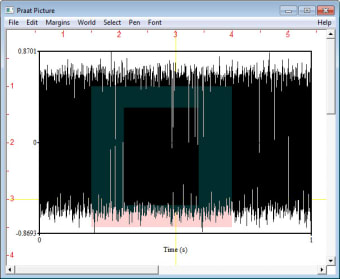
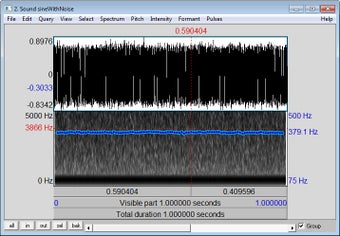
Praat can read sounds recorded with the program or audio files recorded in another way. Once the application is launched, it will greet and generate a graph of waves that indicate intonation, intensity, volume, and other complex details. Proving its handy purpose for deeply learning linguistics, it is able to isolate certain sound bites or filter frequencies either manually or using scripts.
You will have access to spectrograms—a visual representation of the sound changes over time—as well as cochleagrams—a type of spectrogram resembling how the inner ear receives sound. It permits you to produce speech from a pitch curve and filters or from various muscle activities. Furthermore, it grants you the ability to alter existing speech utterances wherein you can customize the pitch, intensity, and duration of the speech.
Here, you have the capacity to custom-label your sample using the IPA. Not only that, you can even annotate your sound segments based on the specific variable you are aiming to examine. It also supports multi-language text-to-speech features that empower you to section the sound into words and phonemes. It's difficult to get to grips with, though. An extensive manual is available but it's aimed mainly at linguistic experts.
Easy to set up and run
Praat has a straightforward setup process that is easy for anyone to follow. Once you open it for the first time, you can select Intro from the Help menu to get a quick start. Occasionally, your computer’s operating system may block Praat for security reasons. In such cases, you can safely choose the option to run the program, as it does not contain any harmful software.
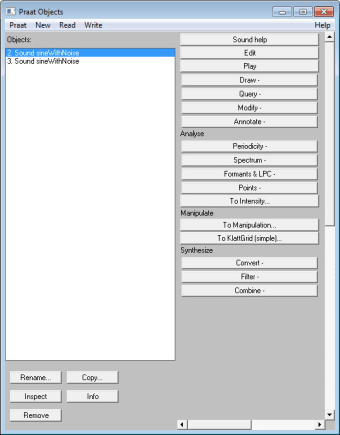
Once the app is running, you can begin exploring its features right away. You can open or record audio files to view their waveforms and spectrograms, create annotations, and measure properties such as pitch, formants, and intensity. Even if you’re new to speech analysis, the program’s menus and tools are intuitive, and the built-in Help documentation provides step-by-step guidance on its basic features.
As you become more familiar and comfortable with this app, you can take advantage of its advanced features for more detailed analyses. For example, you can automate repetitive tasks using its scripting language, customize visualizations, and export results for use in presentations and reports. It’s a flexible app that’s not only great for beginners but can also be a powerful tool for researchers, students, and anyone studying speech.
Astounding speech analyzer
Praat is a robust audio analysis tool that will give linguists a high degree of control over spectrographs. It is packed with state-of-the-art features and tools that can vest your capability to access, analyze, and produce excellent quality visuals as an integral part of the acoustic evaluation of speech and voice samples. Beginners will find this challenging to use, the tutorial guide will be helpful but navigation is still tricky.
EEG window: extent autoscaling by window ERPTier: Remove events between